第5章:リファクタリング最初の武器セット 🪄🧹✨
(名前を直す/メソッド抽出/クラス分割/移動…まずはこれだけで勝てる!💪💕)
この章のゴールはシンプルだよ😊 **「SOLIDをちゃんと適用する前に、コードを“いじれる形”に整える」**こと!✨ いきなり立派な設計を狙うより、まず 安全に小さく整える武器を持つのが最強だよ〜🧸💖
1. リファクタリングってなに?🧠✨
リファクタリング=動き(ふるまい)を変えずに、中身を整理することだよ🧹 読みやすくして、変更しやすくして、バグを入れにくくする…って感じ🌸
GitHub Copilotのドキュメントでも「リファクタリングは挙動を変えずに構造を改善する」って整理されてるよ🤖✨ (GitHub Docs)
2. “安全にやる”ための3つの約束 ✅🛡️✨
リファクタって、やり方が雑だと事故るの😇💥 だから最低限これだけ守ろ〜!
- 小さくやる(1回で1つの変更)🔍
- すぐ確認する(ビルド・実行・テスト)🧪
- 戻れる状態でやる(Gitでコミット/ブランチ)⛑️
ポイント:「うまくいったら保存(コミット)」を細かくね🫶✨
3. 今日の武器セット(最初に覚えるやつ)🧰✨
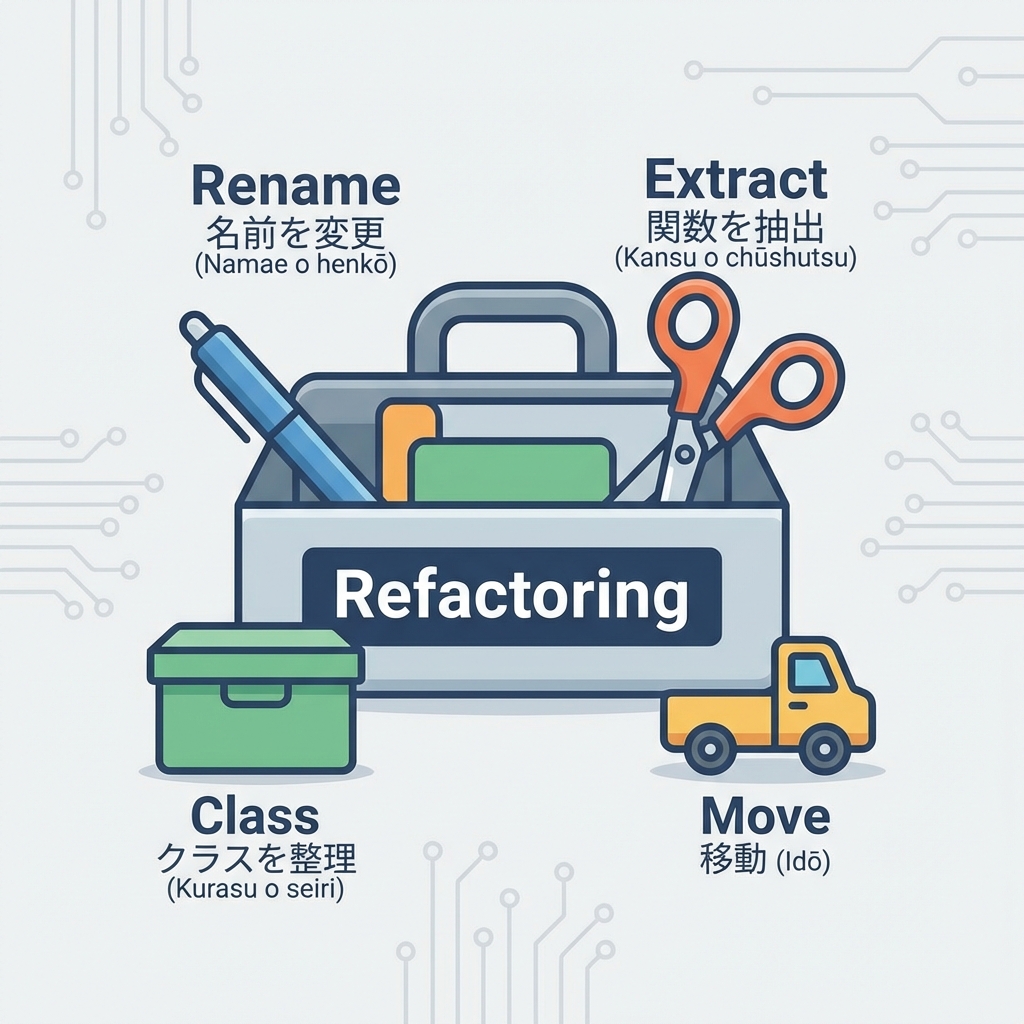
この章は、まずここだけでOK!💖
3.1 名前を直す(Rename)📝✨
読みやすさの8割は名前だよ〜!🥹💕
a,b,tmp→ ❌totalPrice,discountRate,shippingFee→ ✅
Visual Studioだと Rename が超強い! ショートカットは Ctrl+R → Ctrl+R だよ⌨️✨
3.2 メソッド抽出(Extract Method)✂️➡️🧩
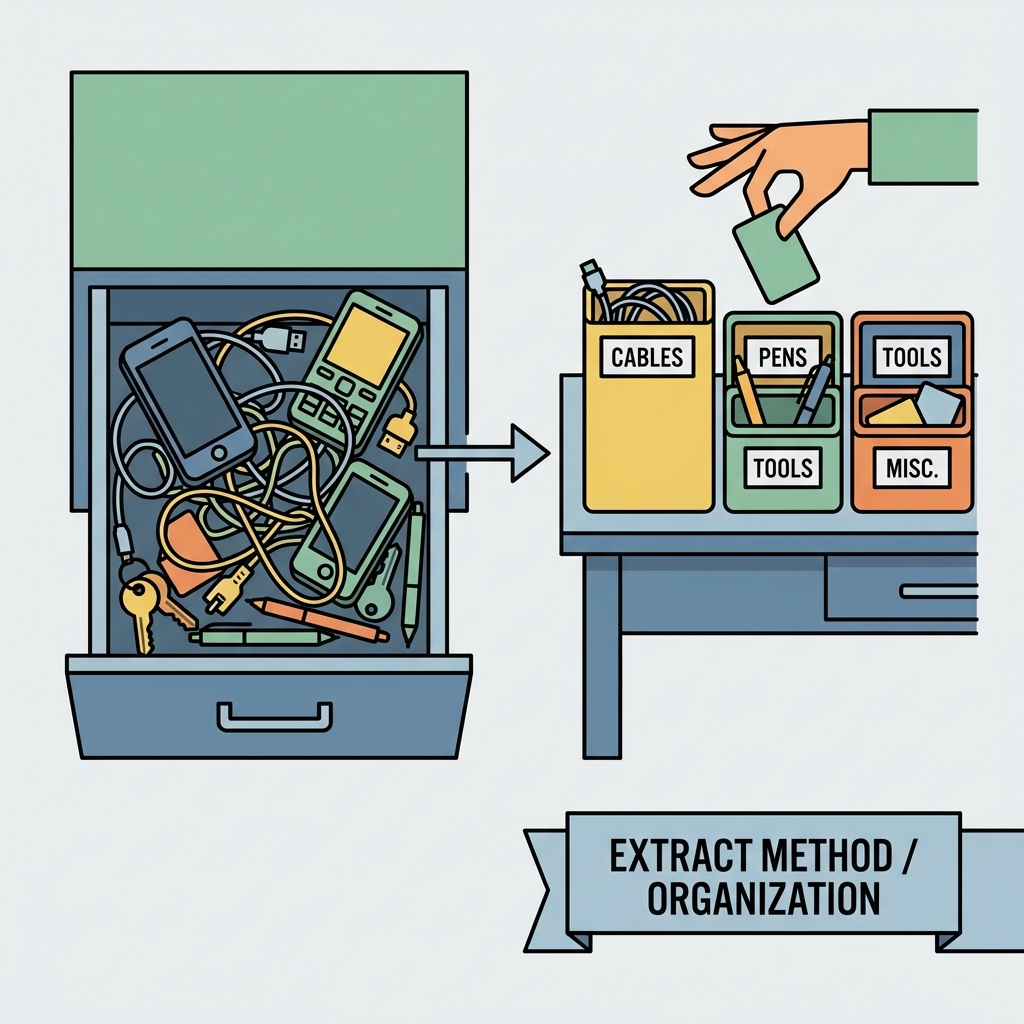
長いメソッドは「読めない」「直せない」「壊れる」三重苦😵💫 まずは メソッド抽出で “読みやすい塊” に分けるのが正義✨
Visual Studioの Extract Method は Ctrl+R → Ctrl+M だよ⌨️✨ (Microsoft Learn)
3.3 クラス分割(Extract Class)📦✨
役割が混ざってたら、クラスを分けると急にラクになるよ😊
例)
- 検証(Validation)
- 計算(Pricing)
- 外部API呼び出し(Payment / Shipping)
この辺が 1クラスに混ざりがち😇
3.4 置き場所を直す(Move / Pull Up / Push Down 的なやつ)🚚✨
「この処理、ここにあるのおかしくない?」ってやつを 正しいクラスへお引っ越しするだけでスッキリするよ🏠💕
3.5 “困ったらこれ” Quick Actions 💡✨
迷ったら Ctrl+.(または Alt+Enter) を押す! Visual Studioが「できるリファクタ」を提案してくれるよ🪄
4. ショートカット早見(よく使うのだけ)⌨️✨
- Quick Actions:Ctrl+. / Alt+Enter
- Rename:Ctrl+R → Ctrl+R
- Extract Method:Ctrl+R → Ctrl+M (Microsoft Learn)
- Extract Interface:Ctrl+R → Ctrl+I
- using整理:Ctrl+R → Ctrl+G
- Code Cleanup:Ctrl+K → Ctrl+E
5. ハンズオン:ぐちゃぐちゃOrder処理を“安全に分割”しよ🛒📦✨
ここから、わざと読みにくい例を整えていくよ😈➡️😇 (ミニECの「注文→支払い→発送→通知」)
5.1 まずは “ぐちゃぐちゃ版” 😵💫
using System;
using System.Collections.Generic;
using System.Linq;

public sealed class OrderRequest
{
    public string CustomerEmail { get; init; } = "";
    public string Address { get; init; } = "";
    public List<OrderLine> Lines { get; init; } = new();
    public string PaymentMethod { get; init; } = "";
    public string CouponCode { get; init; } = "";
}

public sealed record OrderLine(string Sku, int Quantity, decimal UnitPrice);

public sealed class OrderService
{
    public string PlaceOrder(OrderRequest req)
    {
        // validation (雑)
        if (req == null) throw new ArgumentNullException(nameof(req));
        if (string.IsNullOrWhiteSpace(req.CustomerEmail)) throw new ArgumentException("email");
        if (!req.CustomerEmail.Contains("@")) throw new ArgumentException("email format");
        if (string.IsNullOrWhiteSpace(req.Address)) throw new ArgumentException("address");
        if (req.Lines == null || req.Lines.Count == 0) throw new ArgumentException("lines");
        if (req.Lines.Any(x => x.Quantity <= 0)) throw new ArgumentException("qty");
        if (req.Lines.Any(x => x.UnitPrice < 0)) throw new ArgumentException("price");

        // pricing (雑)
        decimal subtotal = 0;
        foreach (var line in req.Lines)
        {
            subtotal += line.UnitPrice * line.Quantity;
        }

        decimal discount = 0;
        if (!string.IsNullOrWhiteSpace(req.CouponCode))
        {
            if (req.CouponCode == "OFF10") discount = subtotal * 0.10m;
            else if (req.CouponCode == "OFF500") discount = 500m;
            if (discount > subtotal) discount = subtotal;
        }

        decimal shippingFee = subtotal >= 5000m ? 0 : 600m;
        decimal tax = Math.Round((subtotal - discount + shippingFee) * 0.10m, 0);
        decimal total = subtotal - discount + shippingFee + tax;

        // payment (雑)
        var payment = new PaymentGateway();
        var paymentResult = payment.Charge(req.PaymentMethod, total);
        if (!paymentResult) throw new InvalidOperationException("payment failed");

        // shipping (雑)
        var shipping = new ShippingApi();
        var trackingNo = shipping.CreateShipment(req.Address, req.Lines);

        // notify (雑)
        var email = new EmailClient();
        email.Send(req.CustomerEmail, "Order Confirmed", $"Total:{total} Tracking:{trackingNo}");

        return trackingNo;
    }
}

public sealed class PaymentGateway
{
    public bool Charge(string method, decimal amount) => true; // 仮
}

public sealed class ShippingApi
{
    public string CreateShipment(string address, List<OrderLine> lines) => "TRK-123456"; // 仮
}

public sealed class EmailClient
{
    public void Send(string to, string subject, string body) { /* 仮 */ }
}
うん、読むのつらい😇(わざとだよ!笑)
6. 手順①:Renameで“意味が通る状態”にする📝💖
やることは簡単✨
req→requestsubtotal/discount/shippingFee/tax/totalはOK(もう良い名前)LinesのSkuが分かりにくければProductSkuとかもアリ
Visual Studioならカーソル合わせて Ctrl+R → Ctrl+R で一括変更できるよ😊✨
7. 手順②:Extract Methodで“読める塊”に分ける✂️✨
目標:PlaceOrder() を「見出しだけで読める」状態にする📚✨
7.1 まずは Validation を抽出 ✅
- Validation部分を範囲選択
- Ctrl+R → Ctrl+M(Extract Method)
- メソッド名を
ValidateRequestにする
ショートカットは公式にも載ってるよ🪄 (Microsoft Learn)
7.2 Pricing を抽出 💰✨
同じように、価格計算部分を選んで CalculateTotal にするよ!
7.3 外部呼び出しも抽出(Payment / Shipping / Email)🔌📦📧✨
外部は特に「後で差し替えたくなる」から、塊にしておくと神👼✨
8. Extract後の“読みやすいPlaceOrder”の形(理想イメージ)🌷✨
public sealed class OrderService
{
    public string PlaceOrder(OrderRequest request)
    {
        ValidateRequest(request);

        var total = CalculateTotal(request);

        ChargePayment(request.PaymentMethod, total);

        var trackingNo = CreateShipment(request.Address, request.Lines);

        SendConfirmation(request.CustomerEmail, total, trackingNo);

        return trackingNo;
    }

    private static void ValidateRequest(OrderRequest request)
    {
        if (request == null) throw new ArgumentNullException(nameof(request));
        if (string.IsNullOrWhiteSpace(request.CustomerEmail)) throw new ArgumentException("email");
        if (!request.CustomerEmail.Contains("@")) throw new ArgumentException("email format");
        if (string.IsNullOrWhiteSpace(request.Address)) throw new ArgumentException("address");
        if (request.Lines == null || request.Lines.Count == 0) throw new ArgumentException("lines");
        if (request.Lines.Any(x => x.Quantity <= 0)) throw new ArgumentException("qty");
        if (request.Lines.Any(x => x.UnitPrice < 0)) throw new ArgumentException("price");
    }

    private static decimal CalculateTotal(OrderRequest request)
    {
        var subtotal = request.Lines.Sum(x => x.UnitPrice * x.Quantity);

        var discount = CalculateDiscount(subtotal, request.CouponCode);

        var shippingFee = subtotal >= 5000m ? 0 : 600m;

        var tax = Math.Round((subtotal - discount + shippingFee) * 0.10m, 0);

        return subtotal - discount + shippingFee + tax;
    }

    private static decimal CalculateDiscount(decimal subtotal, string couponCode)
    {
        if (string.IsNullOrWhiteSpace(couponCode)) return 0;

        decimal discount =
            couponCode == "OFF10" ? subtotal * 0.10m :
            couponCode == "OFF500" ? 500m :
            0;

        if (discount > subtotal) discount = subtotal;
        return discount;
    }

    private static void ChargePayment(string paymentMethod, decimal total)
    {
        var payment = new PaymentGateway();
        var ok = payment.Charge(paymentMethod, total);
        if (!ok) throw new InvalidOperationException("payment failed");
    }

    private static string CreateShipment(string address, List<OrderLine> lines)
    {
        var shipping = new ShippingApi();
        return shipping.CreateShipment(address, lines);
    }

    private static void SendConfirmation(string email, decimal total, string trackingNo)
    {
        var client = new EmailClient();
        client.Send(email, "Order Confirmed", $"Total:{total} Tracking:{trackingNo}");
    }
}
ね?✨ 上から見て“何してるか”が読めるようになったでしょ😊📚💕
この時点ではまだSOLIDじゃないけど、次の章でSRPとかやるための「土台」ができた感じ🧱✨
9. 手順③:Extract Classで“役割”を外に出す📦✨
次は、こう考えるよ🧠💕
ValidateRequest→ OrderValidator に出したい ✅CalculateTotal/CalculateDiscount→ PriceCalculator に出したい 💰PaymentGateway/ShippingApi/EmailClientは外部っぽいので、将来差し替えたい 🔁
この章では「分ける」だけでOK(差し替えやDIは後で!)😊✨
10. AI(Copilot/Codex系)に手伝ってもらうコツ 🤖💕
AIはリファクタ相性めちゃ良いよ✨ ただし、**丸投げじゃなく“案出し係”**にするのが安全🥰
10.1 使えるお願いテンプレ(そのまま投げてOK)🪄
- 「このメソッドをExtract Methodするなら、自然な分割案を3つ出して。命名も付けて」
- 「このクラスの責務を列挙して、クラス分割案を提案して」
- 「副作用(外部I/O)がある箇所を指摘して」
- 「変更を小さくするための手順を、ビルド確認ポイント込みで書いて」
※ Copilotは「IDE内で相談→差分提案」ができる方向にどんどん強化されてるよ🧠✨(公式チュートリアルもある) (GitHub Docs) ※ Visual Studio側でもCopilot関連機能が拡張されてる流れがあるよ🧩 (Microsoft Learn)
11. VS Code派の子へ:Refactorの出し方✨⌨️
VS Codeならまず Ctrl+.(コードアクション)で候補が出るよ😊 「リファクタだけ見たい」なら Refactor: Ctrl+Shift+R って案内されてるよ🪄 (Visual Studio Code)
12. よくある失敗あるある 😇💥 → 回避法✨
失敗1:メソッドを細かくしすぎて逆に読めない🧩🧩🧩
✅ 回避:**“見出しとして読める粒度”**を意識するよ📚✨
(例:ValidateRequest はOK、CheckEmailHasAtMark みたいなの増やしすぎ注意)
失敗2:抽出したら引数が増えまくった😵💫
✅ 回避:いったんOK!この章では「読める」が勝ち✨ (次の章以降で設計として整えていくよ🌸)
失敗3:動き変わってないはずなのに壊れた😭
✅ 回避:小さく変更→すぐビルド あと、次章のテストが入るともっと安全になるよ🧪✨
13. ミニ課題(手を動かすと最速で身につく💪💕)
課題A:Extract Methodを3回やってみよ✂️✨
PlaceOrder から
- 検証
- 価格計算
- 外部呼び出し を分ける(この章の通りでOK😊)
課題B:Rename祭り📝💖
クラス名・メソッド名・変数名を「説明文みたいに読める」感じへ✨
課題C:ショートカット縛り⌨️🔥
- Quick Actions:Ctrl+.
- Rename:Ctrl+R → Ctrl+R
- Extract Method:Ctrl+R → Ctrl+M これだけでやってみてね🪄
14. この章のまとめ 🎀✨
-
リファクタは 挙動を変えずに整理だよ🧹✨ (GitHub Docs)
-
最初の武器はこれ!
- Rename📝
- Extract Method✂️
- Extract Class📦
- **Move(お引っ越し)**🚚
- 困ったら Ctrl+. 🪄
-
AIは「分割案・命名案・危険箇所の指摘」が得意🤖💕
次章予告:テストは“設計の味方”だよ🧪✨
次の第6章では、リファクタしても安心できるように **AAA(Arrange/Act/Assert)**で“最低限のテスト”を作っていくよ〜😊💕
必要なら、この章のコードをベースに「第6章向けにテストしやすい形」に少しだけ整えた版も用意して続けられるよ🫶✨